2.calculator
计算器Calculator
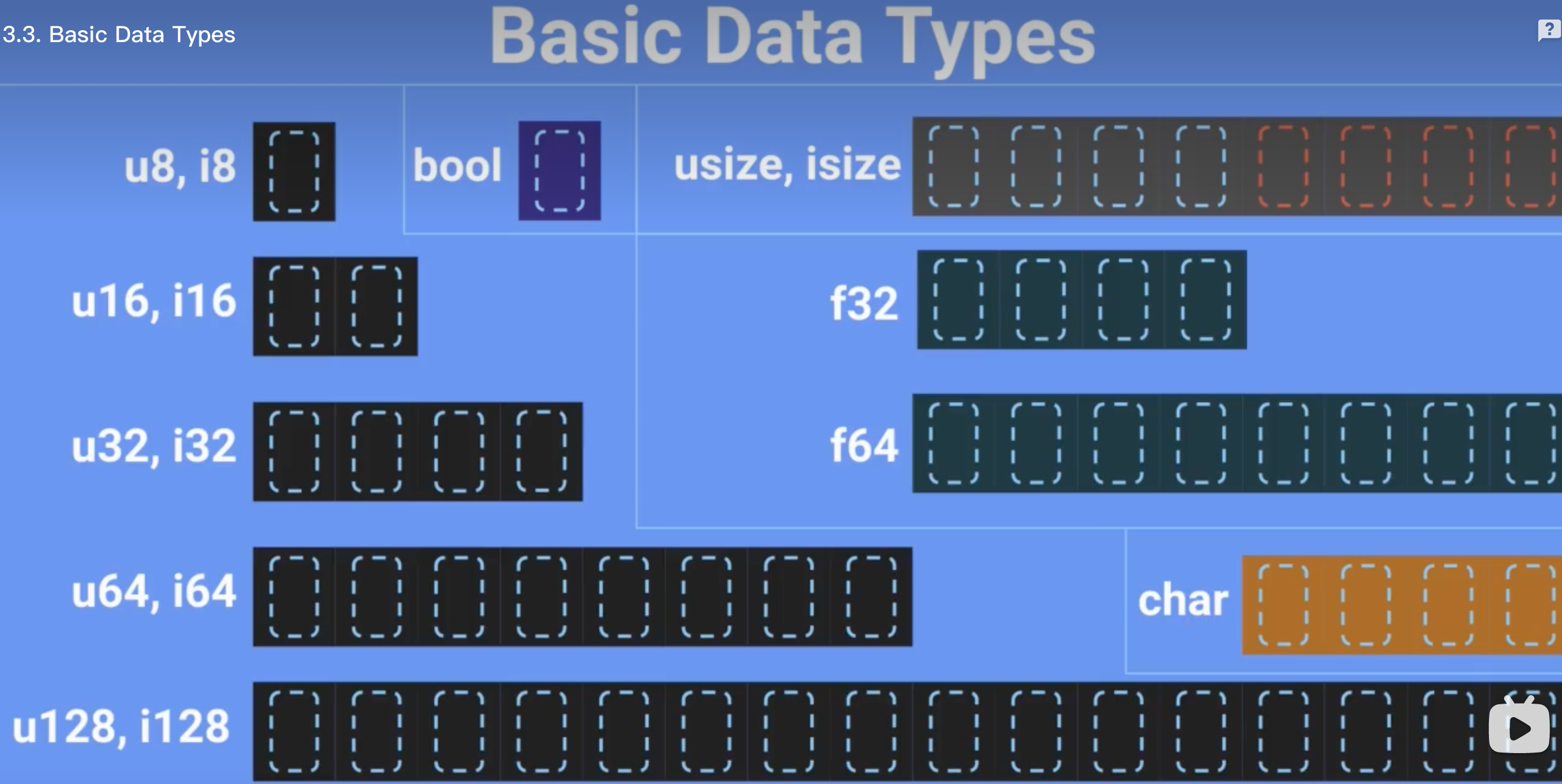
数据类型:
- u8:1字节
- char:4字节
- usize:8字节
创建工程
cargo new mars_calculator
编写main.rs如下:
fn main() {
    // 明确类型(不建议这样做)
    // let mars_weight: f32 = mars_calculator(100.9);

    // 自动推导返回类型(推荐方式)
    let mars_weight = mars_calculator(100.9);
    println!("Weight on Mars: {}kg", mars_weight);
}

fn mars_calculator(_weight: f32) -> f32 {
    (_weight / 9.81) * 3.711
}
运行:

安装expand
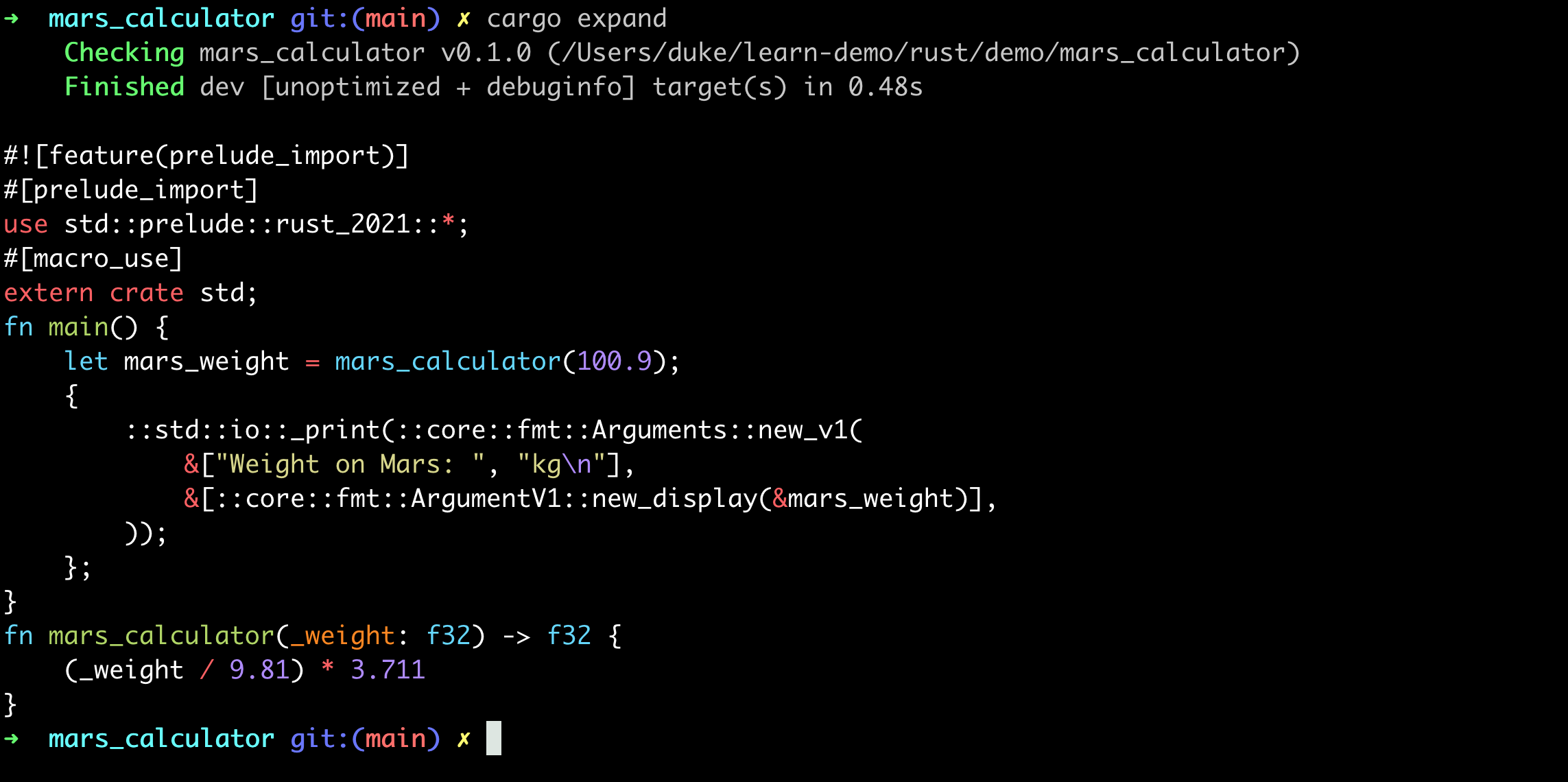
println是一个宏(Macro)定义,可以将它的代码展开
cargo install cargo-expand
运行:
cargo expand
默认immutable
- 所有的变量在rust中,默认都是immutable的,即定义之后不能修改
- 如果想修改需要使用关键字mut(如果不加mut会报错)
fn main() {
    // let mars_weight = mars_calculator(100.9); // error
    let mut mars_weight = mars_calculator(100.9);

    mars_weight = mars_weight * 1000.0;

    println!("Weight on Mars: {}kg", mars_weight);
}

fn mars_calculator(_weight: f32) -> f32 {
    (_weight / 9.81) * 3.711
}
命令行输入
use std::io;

fn main() {
    println!("Enter a weight:(kg)");

      // 1. 创建一个string类型
    let mut input = String::new();

      // 2. 读取数据,写入到input中,这里的&表示传递引用,即直接修改input的值,而不是副本拷贝
      // 3. unwrap是对返回值Result<T, Error>的处理,逻辑为:
      // a. 如果执行成功,则正常返回
      // b. 如果执行失败,则程序终止
    io::stdin().read_line(&mut input).unwrap();

      // 4. 此处对输入(字符串)进行去除空格处理,并且自动转换成目标数据类型(f32)
    let weight: f32 = input.trim().parse().unwrap();
    println!("weight: {}", weight);

      // 5. 此处为debug打印输出,目的是查看weight的数据类型,会发现是字符串,如:"123"
    dbg!(weight);

    println!("input: {}", input);
    // let mars_weight = mars_calculator(100.9); // error
    let mut mars_weight = mars_calculator(weight);
    mars_weight = mars_weight * 1000.0;

    println!("Weight on Mars: {}kg", mars_weight);
}

fn mars_calculator(_weight: f32) -> f32 {
    (_weight / 9.81) * 3.711
}
测试
cargo run
其他
支持gdb调试,与C++几乎完全一致